How to Automatically Deliver Digital Downloads After Stripe Checkout (Securely)
Last Updated: April 2, 2026
In this guide, you’ll learn how to deliver digital downloads after Stripe Checkout securely.
Manually emailing digital files or sharing static links exposes your products to piracy and adds support overhead. This guide explains why Stripe Checkout doesn’t handle secure delivery, what a robust system requires (signature verification, idempotent webhooks and expiring tokenised links) and how a WordPress plugin like FerretDeliver can automate fulfilment end‑to‑end.
// The problem with manual digital fulfilment
Selling digital products seems simple – you build a sales page, connect Stripe, and deliver the goods. Yet many creators still ship files manually. They email ZIP archives or share Google Drive links, hoping customers won’t forward them. Manual fulfilment wastes time, delays customer access and invites piracy. Static links can be shared freely; WooCommerce’s documentation warns that redirect-only download methods are insecure because anyone with the link can access the file, even if they haven’t purchased the product. Support overhead grows as customers miss download links or lose emails.
When you’re busy building and marketing your product, you shouldn’t have to babysit file delivery. Worse, manual delivery exposes your business to unauthorized downloads and lost revenue.
Table of Contents
// Why Stripe Checkout doesn’t deliver your files
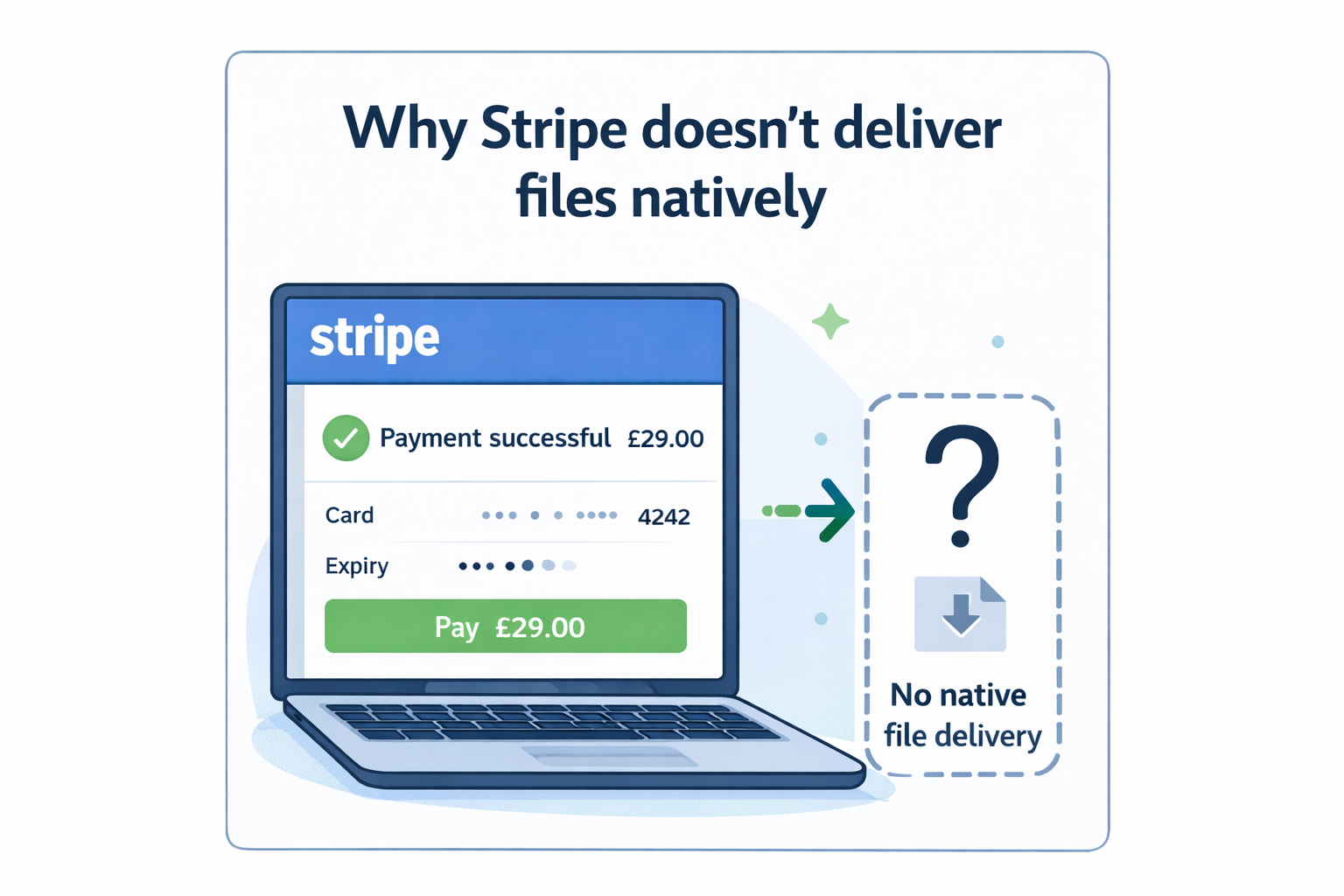
Stripe Checkout is a powerful hosted payment page, but it doesn’t handle fulfilment. The Checkout Page guide explains that although Stripe can accept payments globally, it does not deliver digital files after purchase or manage download access (Stripe digital products limitations). There is no built‑in way to attach files to a product, automatically deliver downloads, update files for existing buyers or manage access. Stripe leaves delivery to you – which makes sense because fulfilment varies across businesses.
Creators typically respond by cobbling together workarounds: adding email attachments, uploading to Google Drive, or writing custom scripts. These approaches are error‑prone, manual and lack essential security features like expiring links, download limits and auditing. A sustainable solution needs to bridge the gap between Stripe’s payment success events and secure download distribution.
Stripe Checkout is a powerful hosted payment page, but it doesn’t handle fulfilment. The Checkout Page guide explains that although Stripe can accept payments globally, it does not deliver digital files after purchase or manage download access (Stripe digital products limitations). There is no built‑in way to attach files to a product, automatically deliver downloads, update files for existing buyers or manage access. Stripe leaves delivery to you – which makes sense because fulfilment varies across businesses.
Creators typically respond by cobbling together workarounds: adding email attachments, uploading to Google Drive, or writing custom scripts. These approaches are error‑prone, manual and lack essential security features like expiring links, download limits and auditing. A sustainable solution needs to bridge the gap between Stripe’s payment success events and secure download distribution.
// What secure delivery actually requires
Delivering files securely isn’t just a matter of emailing a link. There are a few critical components:
Validating webhook events
After a customer pays, your system should wait for a verified webhook from Stripe before granting access. If you’re new to this flow, see our guide to Stripe webhooks explained for digital product sellers. Webhooks send events from Stripe to your server. Stripe recommends verifying the Stripe‑Signature header on every webhook (Stripe webhook docs) to ensure the event came from Stripe. The “resolve webhook signature verification errors” guide shows that you call constructEvent() with the raw request body, the signature header and the endpoint secret (Stripe signature verification guide). If any parameter is wrong, signature verification fails. Stripe also includes a timestamp in the signature to prevent replay attacks (Stripe webhook security), and their libraries enforce a default tolerance of five minutes between the timestamp and current time. These checks ensure an attacker cannot resubmit an old payload.
Idempotent event handling
Stripe may retry webhooks if your endpoint doesn’t respond quickly. To avoid processing the same event twice, your fulfilment logic must be idempotent: given the same event ID, your system should take the same action once and ignore duplicates. Stripe’s blog notes that their API implements idempotency keys on mutating endpoints via the Idempotency‑Key header (Stripe idempotency guide), allowing clients to retry safely. They emphasise that idempotency is part of building robust, predictable APIs – clients should handle failures safely and use idempotency to ensure operations run only once.
For digital downloads, idempotency means recording processed events in a database and checking before sending download links again. Without idempotent handling, a webhook retry could regenerate tokens, confusing customers or exceeding download limits.
Tokenised URLs with expiry and limits
Secure downloads should be delivered through tokenised links – unique URLs that grant temporary access and expire. Verimatrix explains that tokenised URLs include unique tokens per user and can embed rules like time limits, IP restrictions and usage limits (tokenised URL explanation). Expiring links self‑destruct after a predefined time window, reducing the risk of your files circulating indefinitely. The benefits include session security, limited exposure and granular control.
Static file URLs are dangerous. WooCommerce’s documentation notes that when you use the “Redirect only” download method, anyone who has the link can access the file (WooCommerce documentation), even if they are not logged in, because the file is served directly. Such links can be shared on forums or resold, undermining your revenue. To protect your assets, you need to generate one‑time, expiring tokens tied to a purchase record.
Download limits and logging
Expiry alone isn’t enough – you may want to limit the number of times a link can be used. WooCommerce allows you to set a download limit and download expiry for each digital file (WooCommerce download settings). Similarly, secure downloads plugins on WordPress can lock links to specific IP addresses and track every download via email notifications. Logging each download provides an audit trail and helps you identify abuse.
Auditable bundling
Sellers often package multiple files or “bundles” with a single purchase. Mapping Stripe Price IDs to bundle configurations is essential to ensure the correct files are delivered. A robust system should support delivering multiple files per purchase and record which tokens were generated for each file, enabling resends and regeneration.
Delivering files securely isn’t just a matter of emailing a link. There are a few critical components:
Validating webhook events
After a customer pays, your system should wait for a verified webhook from Stripe before granting access. If you’re new to this flow, see our guide to Stripe webhooks explained for digital product sellers. Webhooks send events from Stripe to your server. Stripe recommends verifying the Stripe‑Signature header on every webhook (Stripe webhook docs) to ensure the event came from Stripe. The “resolve webhook signature verification errors” guide shows that you call constructEvent() with the raw request body, the signature header and the endpoint secret (Stripe signature verification guide). If any parameter is wrong, signature verification fails. Stripe also includes a timestamp in the signature to prevent replay attacks (Stripe webhook security), and their libraries enforce a default tolerance of five minutes between the timestamp and current time. These checks ensure an attacker cannot resubmit an old payload.
Idempotent event handling
Stripe may retry webhooks if your endpoint doesn’t respond quickly. To avoid processing the same event twice, your fulfilment logic must be idempotent: given the same event ID, your system should take the same action once and ignore duplicates. Stripe’s blog notes that their API implements idempotency keys on mutating endpoints via the Idempotency‑Key header (Stripe idempotency guide), allowing clients to retry safely. They emphasise that idempotency is part of building robust, predictable APIs – clients should handle failures safely and use idempotency to ensure operations run only once.
For digital downloads, idempotency means recording processed events in a database and checking before sending download links again. Without idempotent handling, a webhook retry could regenerate tokens, confusing customers or exceeding download limits.
Tokenised URLs with expiry and limits
Secure downloads should be delivered through tokenised links – unique URLs that grant temporary access and expire. Verimatrix explains that tokenised URLs include unique tokens per user and can embed rules like time limits, IP restrictions and usage limits (tokenised URL explanation). Expiring links self‑destruct after a predefined time window, reducing the risk of your files circulating indefinitely. The benefits include session security, limited exposure and granular control.
Static file URLs are dangerous. WooCommerce’s documentation notes that when you use the “Redirect only” download method, anyone who has the link can access the file (WooCommerce documentation), even if they are not logged in, because the file is served directly. Such links can be shared on forums or resold, undermining your revenue. To protect your assets, you need to generate one‑time, expiring tokens tied to a purchase record.
Download limits and logging
Expiry alone isn’t enough – you may want to limit the number of times a link can be used. WooCommerce allows you to set a download limit and download expiry for each digital file (WooCommerce download settings). Similarly, secure downloads plugins on WordPress can lock links to specific IP addresses and track every download via email notifications. Logging each download provides an audit trail and helps you identify abuse.
Auditable bundling
Sellers often package multiple files or “bundles” with a single purchase. Mapping Stripe Price IDs to bundle configurations is essential to ensure the correct files are delivered. A robust system should support delivering multiple files per purchase and record which tokens were generated for each file, enabling resends and regeneration.
Implementing secure delivery in WordPress involves several pieces:
Webhook endpoint: Create an endpoint to receive checkout.session.completed or payment_intent.succeeded events. Use HTTPS, return a 200 OK quickly and verify the signature using the raw request body and endpoint secret. Reject requests that fail validation or have stale timestamps.
Event storage & idempotency: Store a record of each event ID, associated order/customer information and token status. When handling a new event, check if it has already been processed. If yes, do nothing.
Order & price mapping: Map the Stripe price IDs in the event to your digital products or bundles. For each purchased item, determine the files to deliver.
Generate secure tokens: For each file, generate a unique token. The token should encode the file identifier, order ID, expiry timestamp and download limit. Store token metadata in the database.
Send branded email: Compose an email template with your branding and include the secure download links. Use WordPress’s mail functions or integrate with email services. Email templates should be customisable and support simple variables like customer name and order summary.
Serve downloads: Create a download handler endpoint that validates the token, checks expiry and usage count, and streams the file securely. Log each access to the event record and decrement the remaining download count. If a token expires or the limit is reached, show a friendly error and offer to regenerate.
Resend/regenerate: Provide admin tools in WordPress to resend the download email or regenerate a new token. Regenerating should invalidate the old token to prevent misuse.
Implementing all of this from scratch is non‑trivial. That’s where purpose‑built tools can help.
Implementing secure delivery in WordPress involves several pieces:
Webhook endpoint: Create an endpoint to receive checkout.session.completed or payment_intent.succeeded events. Use HTTPS, return a 200 OK quickly and verify the signature using the raw request body and endpoint secret. Reject requests that fail validation or have stale timestamps.
Event storage & idempotency: Store a record of each event ID, associated order/customer information and token status. When handling a new event, check if it has already been processed. If yes, do nothing.
Order & price mapping: Map the Stripe price IDs in the event to your digital products or bundles. For each purchased item, determine the files to deliver.
Generate secure tokens: For each file, generate a unique token. The token should encode the file identifier, order ID, expiry timestamp and download limit. Store token metadata in the database.
Send branded email: Compose an email template with your branding and include the secure download links. Use WordPress’s mail functions or integrate with email services. Email templates should be customisable and support simple variables like customer name and order summary.
Serve downloads: Create a download handler endpoint that validates the token, checks expiry and usage count, and streams the file securely. Log each access to the event record and decrement the remaining download count. If a token expires or the limit is reached, show a friendly error and offer to regenerate.
Resend/regenerate: Provide admin tools in WordPress to resend the download email or regenerate a new token. Regenerating should invalidate the old token to prevent misuse.
Implementing all of this from scratch is non‑trivial. That’s where purpose‑built tools can help.
// Introducing FerretDeliver
FerretDeliver is a WordPress plugin that automates everything outlined above. It isn’t a SaaS – it runs inside your WordPress site and integrates directly with Stripe Checkout via webhooks. You continue to use Stripe Checkout; FerretDeliver simply listens for payment events and handles the fulfilment.
Key capabilities include:
Stripe signature verification and idempotent webhook handling: events are validated and processed once.
Secure expiring download tokens: tokens encode order, file and expiry data; they hide the real file location and support download limits and IP locking.
Bundle delivery per Price ID: map Stripe price IDs to one or more files. It supports complex bundles and variable products.
Resend and regenerate: quickly resend the download email or regenerate new tokens for a customer who lost their link.
Logs & export: track every event, token and download in WordPress and export logs for audits.
Customisable branded emails: design your delivery email to match your brand and optionally integrate with ChimpFuse for follow‑up automation.
Email capture and follow-up: see Contact Form 7 to Mailchimp to connect your Stripe purchases to your Mailchimp audience and automate post-purchase emails.
The beauty of FerretDeliver is that it fits into the broader ecosystem: Checkout → Delivery → Email. You continue to accept payments through Stripe Checkout, deliver files automatically through FerretDeliver, and build relationships through emails (powered by ChimpFuse). There’s no hard sell here; it’s simply the system we use to deliver our own digital products.
// Operational considerations
When automating delivery, consider the following workflows:
Resends: Customers lose emails all the time. Build an admin action to resend the latest download email. With FerretDeliver this is one click; you can also integrate this into your support workflows.
Regeneration: Sometimes links expire legitimately (e.g., a two‑day expiry) before the customer downloads. Regenerating a token should invalidate the old one and send a new email. This prevents unlimited downloads from old tokens.
Bundle mapping: When you introduce new products or update your offerings, ensure your price‑to‑bundle mapping is up to date. In FerretDeliver you edit your bundle definition in the WordPress admin.
Customer recovery workflows: If a webhook fails due to a temporary outage, your system should retry. Use idempotency to avoid duplicate deliveries. Provide a manual way to recover customers who slip through the cracks, such as a dashboard listing pending fulfilments.
Audit and export: Keeping logs ensures you can answer support questions (e.g., “Has this customer downloaded more than allowed?”) and audit your fulfilment process.
FerretDeliver is a WordPress plugin that automates everything outlined above. It isn’t a SaaS – it runs inside your WordPress site and integrates directly with Stripe Checkout via webhooks. You continue to use Stripe Checkout; FerretDeliver simply listens for payment events and handles the fulfilment.
Key capabilities include:
Stripe signature verification and idempotent webhook handling: events are validated and processed once.
Secure expiring download tokens: tokens encode order, file and expiry data; they hide the real file location and support download limits and IP locking.
Bundle delivery per Price ID: map Stripe price IDs to one or more files. It supports complex bundles and variable products.
Resend and regenerate: quickly resend the download email or regenerate new tokens for a customer who lost their link.
Logs & export: track every event, token and download in WordPress and export logs for audits.
Customisable branded emails: design your delivery email to match your brand and optionally integrate with ChimpFuse for follow‑up automation.
Email capture and follow-up: see Contact Form 7 to Mailchimp to connect your Stripe purchases to your Mailchimp audience and automate post-purchase emails.
The beauty of FerretDeliver is that it fits into the broader ecosystem: Checkout → Delivery → Email. You continue to accept payments through Stripe Checkout, deliver files automatically through FerretDeliver, and build relationships through emails (powered by ChimpFuse). There’s no hard sell here; it’s simply the system we use to deliver our own digital products.
// Operational considerations
When automating delivery, consider the following workflows:
Resends: Customers lose emails all the time. Build an admin action to resend the latest download email. With FerretDeliver this is one click; you can also integrate this into your support workflows.
Regeneration: Sometimes links expire legitimately (e.g., a two‑day expiry) before the customer downloads. Regenerating a token should invalidate the old one and send a new email. This prevents unlimited downloads from old tokens.
Bundle mapping: When you introduce new products or update your offerings, ensure your price‑to‑bundle mapping is up to date. In FerretDeliver you edit your bundle definition in the WordPress admin.
Customer recovery workflows: If a webhook fails due to a temporary outage, your system should retry. Use idempotency to avoid duplicate deliveries. Provide a manual way to recover customers who slip through the cracks, such as a dashboard listing pending fulfilments.
Audit and export: Keeping logs ensures you can answer support questions (e.g., “Has this customer downloaded more than allowed?”) and audit your fulfilment process.
// Key Takeaways
Stripe Checkout handles payment, not secure digital fulfilment.
Manual delivery methods like emailing files or sharing static links create security and support problems.
A proper fulfilment system needs verified webhooks, idempotent processing, secure tokenised links, expiry controls, and download limits.
WordPress can handle secure delivery well when the payment, delivery, and email layers are connected properly.
Bundles, resends, and recovery workflows matter just as much as the initial file delivery.
FerretDeliver acts as the WordPress fulfilment layer after Stripe Checkout, rather than replacing Stripe itself.
The strongest long-term setup is an ecosystem: Checkout → Delivery → Email → Retention.
// FAQs
No. Stripe Checkout handles payment collection, but it does not deliver digital files or manage secure download access after purchase.
FerretDeliver reads the raw request body and Stripe-Signature header, then verifies the event using your webhook signing secret. This ensures the request genuinely came from Stripe and protects against replay attacks.
Yes. FerretDeliver does not replace Stripe Checkout. Stripe handles payment, and FerretDeliver listens for successful payment events to trigger secure file delivery.
Static links can be forwarded, reused, or shared publicly. Once exposed, you lose control over who can access the file. Secure systems use expiring, tokenised links instead.
A secure link is token-based, temporary, and validated before access is granted. It should support expiry windows, download limits, and logging.
Webhooks notify your site when a payment succeeds. This allows you to reliably trigger post-payment actions like generating secure download links and sending delivery emails.
Idempotency ensures the same Stripe event can be processed multiple times without causing duplicate deliveries. A proper system records processed events and ignores repeats safely.
Yes. You can map one Stripe price to multiple files. A robust system handles bundle mapping, secure links, and logging automatically.
Most setups use expiry windows of 24–72 hours and limit downloads to a few attempts. This balances convenience with security.
When a refund is processed, associated download tokens should be invalidated. FerretDeliver handles this automatically via Stripe webhook events.
FerretDeliver sits inside WordPress as the fulfilment layer after Stripe Checkout. Stripe takes payment, then FerretDeliver handles secure delivery, expiry rules, download limits, and resend workflows.
FerretDeliver handles delivery. ChimpFuse handles follow-up emails. Together, they connect payment, delivery, and customer communication into a complete workflow. Learn how to send Stripe leads to Mailchimp automatically.
Stop sending files manually - deliver digital downloads after Stripe Checkout with FerretDeliver.
To provide the best experiences, we use technologies like cookies to store and/or access device information. Consenting to these technologies will allow us to process data such as browsing behaviour or unique IDs on this site. Not consenting or withdrawing consent, may adversely affect certain features and functions.
Functional
Always active
The technical storage or access is strictly necessary for the legitimate purpose of enabling the use of a specific service explicitly requested by the subscriber or user, or for the sole purpose of carrying out the transmission of a communication over an electronic communications network.
Preferences
The technical storage or access is necessary for the legitimate purpose of storing preferences that are not requested by the subscriber or user.
Statistics
The technical storage or access that is used exclusively for statistical purposes.The technical storage or access that is used exclusively for anonymous statistical purposes. Without a subpoena, voluntary compliance on the part of your Internet Service Provider, or additional records from a third party, information stored or retrieved for this purpose alone cannot usually be used to identify you.
Marketing
The technical storage or access is required to create user profiles to send advertising, or to track the user on a website or across several websites for similar marketing purposes.